
Your Own Base44: A Complete Guide to an App Platform on Your Own Server, With an AI Agent and No Code
Everything Base44 gives you, on your own server, for under $30 a month: a server, a domain, Claude Code, an app with logins and a database, email, payments from Israel, analytics, backups and Facebook ads. Step by step, with every prompt ready to copy.
Tom Cohen · · 14 min read
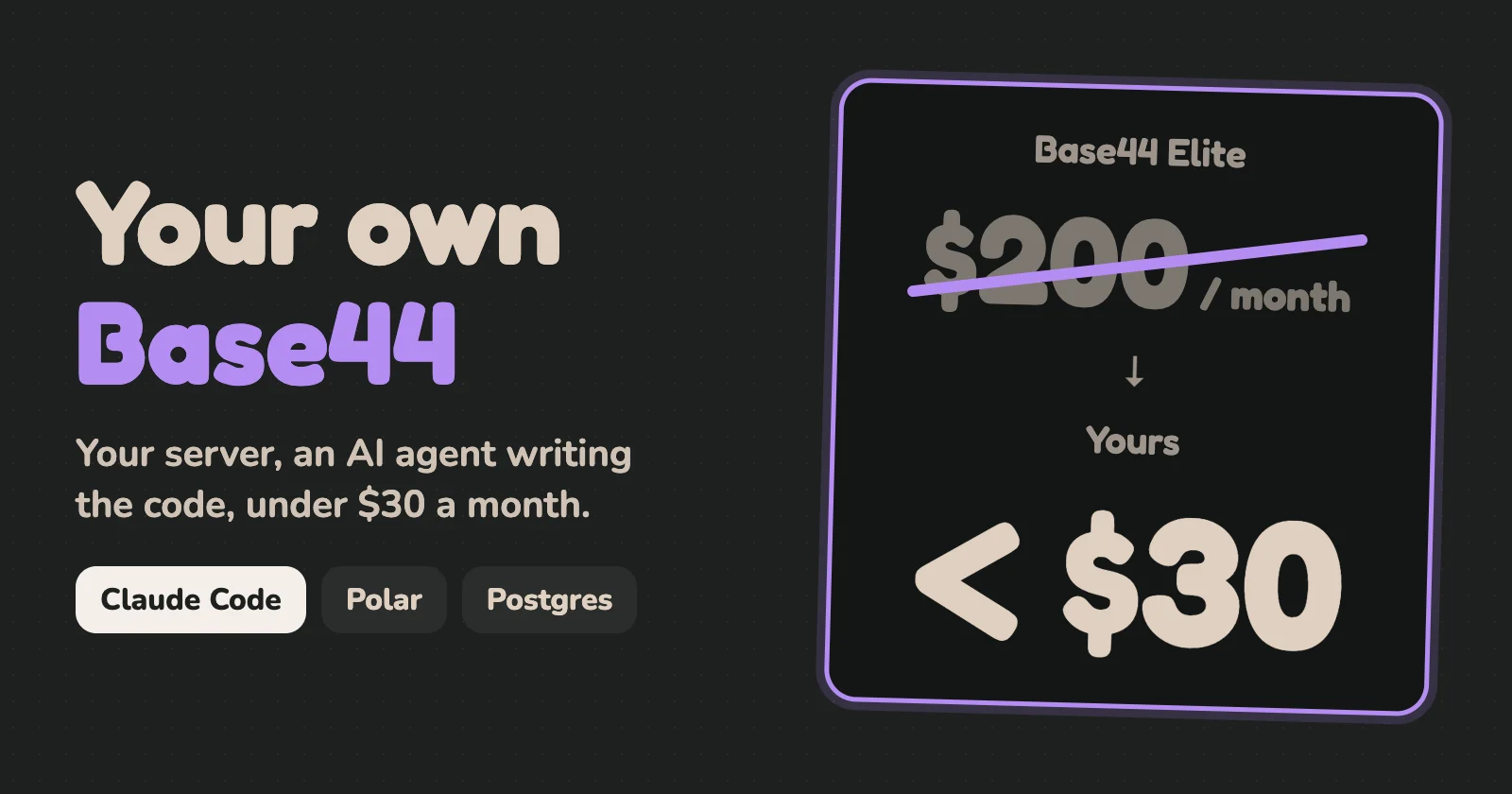
In Base44 you describe the app you want in a chat, and a few minutes later it’s live, with logins, a database, email and payments. It’s a great tool, and if you want to test an idea today, start there.
But as the app grows, the math changes. To get your code, you need the $50-a-month plan. Every email your app sends and every AI call your users make comes out of your credits, and when they run out, those parts stop working. And even on the most expensive plan, $200 a month, you can’t run the app on your own server.
This post is the complete guide: how to set up the same thing yourself, on your own server, with an AI agent writing all the code. No programming knowledge needed, and under $30 a month.
What you’ll have at the end
- Your own server in the cloud, secured, with automatic security updates.
- A domain with HTTPS, and an address for each app, such as
app.your-domain.com. - An AI agent, Claude Code, that writes the code, checks it and puts it live.
- An app with sign-up and login, a database, a free plan and a paid plan.
- Email sent from your own domain.
- Payments from customers anywhere that reach a bank in Israel, plus a way to charge in shekels.
- Cookie-free analytics, a nightly backup, and a Facebook ad account.
Most important: the code, the data and the users are yours. If you want to move servers tomorrow, you take everything with you.
First, to be fair: what Base44 does well
Base44 gives you a day-one experience that’s hard to beat: describe it in chat, and the app is live. No server, no setup, no domain to connect. A database, logins, email and storage are included.
It’s a particularly good fit if:
- You want to test an idea today and see whether anyone uses it.
- You’re building an internal tool for a business or a team, with no paying users.
- You don’t want to deal with a server at all, not even through an agent.
It also does more than people think: it has scheduled jobs, real-time connections and server-rendered pages. So the argument isn’t about what you can build with it. It’s about what it costs as it grows, and who owns what.
Their prices
From Base44’s plans page, billed monthly:
| Plan | Per month | What you get |
|---|---|---|
| Free | $0 | 25 messages a month |
| Starter | $20 | 100 messages |
| Builder | $50 | 250 messages, code export and GitHub |
| Pro | $100 | more messages and credits |
| Elite | from $200 | the most messages and credits |
Billed yearly, prices are 20% lower, for example $40 for Builder and $160 for Elite. Prices change often, so check the pricing page before you decide.
What the table doesn’t show
- Credits are shared, and you can’t top them up. According to the credits page, every email your app sends, every AI call and every file your users upload comes out of the workspace’s integration credits. When they run out, those actions fail and backend functions stop. You can’t buy more credits. The only way is to upgrade.
- Limits that apply on every plan, Elite included. According to the backend functions docs, a function stops after five minutes and gets 128 MB of memory. One request returns at most 5,000 records, and backend code is TypeScript only.
- No self-hosting. In the developer tools docs they write that Base44 doesn’t support self-hosting. Exported code still talks to their servers, and your app’s users, with their passwords, don’t come with it.
- Your data. Base44’s terms give it a licence to use your data to train AI, and only the Enterprise plan opts out.
- Payments from Israel. Stripe doesn’t operate in Israel, and Base44’s own payment service doesn’t cover it either. Step 9 has the options that do work.
What it costs on your own
| What | How much | Note |
|---|---|---|
| Server | about $6 a month | 8 GB of memory is enough for several small apps |
| Claude Pro | $20 a month | includes Claude Code |
| Domain | about $1 a month | a .com at Cloudflare is about $10.50 a year, at cost |
| Everything else | $0 | database, logins, email, analytics and backups, on free tiers |
| Total | under $30 a month | against $50 for the plan that gives you your code, and $200 for Elite |
And one difference matters more than the price: if you hit Claude’s usage limit, only the building waits. Your apps keep running, and there’s no credit meter to stop them.
Every part of Base44 has a free version
| What Base44 gives you | Free alternative | Note |
|---|---|---|
| Hosting and deploys | Caddy, Coolify or Dokploy | Caddy is simple and handles HTTPS on its own. Coolify and Dokploy give you a Vercel-style dashboard |
| Database | Postgres, Supabase, PocketBase or Firebase | Postgres on the server is simplest. Supabase is easiest on its free cloud tier; self-hosting it takes about 11 containers. PocketBase is a whole backend in one file |
| Logins | Better Auth | a library inside the app, with sign-up, passwords and Google login |
| Files | Cloudflare R2 | 10 GB free, no download fees |
| Resend | 3,000 emails a month free | |
| AI | Ollama, or any AI service | Ollama runs free models on your server, but slowly without a graphics card |
| Automations | n8n | free for your own use, but its licence isn’t open source: you can’t resell it as a service |
| Analytics | Umami or PostHog | Umami (MIT licence) on your server; PostHog on its free cloud tier, with session recordings |
| Payments | none | card payments always go through a payment company. Step 9 has what works from Israel |
You don’t need to pick them all now. In the steps below, the agent uses the simple defaults: Postgres, Better Auth, Resend, Umami and Polar.
What you need
- A Windows or Mac computer.
- A Claude Pro subscription at $20 a month, which includes Claude Code.
- A credit card for the server and the domain.
- A free evening. Steps 1 to 7 fit in one evening.
You don’t need to know how to code. You describe, the agent writes and runs, and you check the result. Every prompt here is in English so it’s easy to copy.
Step 1: An SSH key
An SSH key is how your computer, and the agent, connects to the server without a password. You create it once.
On Windows open PowerShell, on a Mac open Terminal, and run:
ssh-keygen -t ed25519 -C "you@example.com"Press Enter at every question. Then show the public part of the key. On Windows:
type $env:USERPROFILE\.ssh\id_ed25519.pubOn a Mac:
cat ~/.ssh/id_ed25519.pubCopy the line that starts with ssh-ed25519. You’ll need it in the next step. Never share the file without .pub.
Step 2: A server
A small cloud server (VPS) running Ubuntu. A few options, at the prices when this was written:
| Provider | Per month | Note |
|---|---|---|
| Contabo | about €5.50 | Cloud VPS with 8 GB. €4.40 on a two-year term |
| Hetzner | varies | cheap and reliable, but its cheapest servers aren’t always available |
| DigitalOcean | from $6 | very simple, but less memory at that price |
| HostHatch | about $15 | what I use: Vienna, 16 GB |
When ordering, choose the latest Ubuntu long-term-support (LTS) version, and paste the public key from step 1 into the SSH key field. You get an IP address at the end. Save it.
Step 3: A domain on Cloudflare
Go to Cloudflare, open a free account, and buy a domain under Domain Registration. Cloudflare sells domains at cost, with no markup.
After buying it, go to DNS and add a record:
| Type | Name | Content | Proxy |
|---|---|---|---|
| A | app | your server’s IP address | Proxied (orange cloud) |
Now app.your-domain.com points to your server. You can add a record like this for each app.
Step 4: Install Claude Code
On Windows, in PowerShell:
irm https://claude.ai/install.ps1 | iexOn a Mac:
curl -fsSL https://claude.ai/install.sh | bashThen create a project folder, go into it and start it:
mkdir my-app
cd my-app
claude
The first time, it asks you to sign in to your Claude account. If you’d rather skip the terminal, the Claude desktop app does the same thing in its Code tab.
Step 5: The agent sets up the server
This is the step that usually takes a DevOps person. Here, you write to the agent:
Connect to my server over SSH: root@SERVER_IP (my key is ~/.ssh/id_ed25519).
Set it up for running web apps safely:
- create a non-root user with sudo and my SSH key, and turn off password and root login
- turn on the firewall and allow only SSH, HTTP and HTTPS
- turn on automatic security updates
- install Docker
- install Caddy as the web server, so every app gets HTTPS automatically
Explain each step before you run it, and at the end check that everything works
and give me a short summary of what's on the server.
It connects, runs one command after another, and explains each one. If it asks whether to run something, read the explanation and approve.
If you want a dashboard for managing your apps, you can ask it to install Coolify or Dokploy instead of Caddy. It’s convenient, but it’s one more thing to maintain, so it’s optional.
Step 6: Describe the app
This is where you do exactly what you’d do in Base44: describe. The difference is that it pays to describe more. Here’s a template:
Build a web app for [who it's for] that [what it does].

Users:
- sign up with email and password, or with Google
- [what a user can do after logging in]

Free plan: [limits, e.g. 3 projects].
Paid plan: [price, e.g. $9/month] for [what it adds].

Tech: Postgres for data, Better Auth for login, email through Resend,
analytics with Umami, payments through Polar (sandbox for now).
Deploy it to my server with Docker behind Caddy, at app.your-domain.com.
Keep all secrets in a .env file that is never committed.

Before you write any code, write a short plan and wait for my OK.
The agent comes back with a plan: which screens, which database tables, and how it gets to the server. Read it. If something is missing or unnecessary, say so, and only then approve.
After you approve, it writes the code, runs it, checks it and deploys it to your address. It takes a while, so feel free to make coffee.
Step 7: A second agent checks the first
An agent that checks its own work tends to agree with itself. So open a new conversation, without the first one’s history, and write:
You are reviewing an app someone else built in this folder. It runs at
https://app.your-domain.com. Don't trust the existing notes.
Try to break it: sign up, log in, use every feature, try the free-plan limits,
try to see another user's data, and look for secrets in the code or the git history.
Write down every problem you find with steps to reproduce, then fix them
one by one and check each fix.
Go through the app yourself too, on your phone and your computer. You know what it’s supposed to do better than any agent.
Step 8: Email with Resend
For sign-up and password-reset emails to land in the inbox and not in spam, they need to come from your domain.
- Open an account at Resend. The free plan has 3,000 emails a month.
- Under Domains, add your domain. Resend shows a few DNS records.
- Add them in Cloudflare exactly as shown. If Resend offers to connect to Cloudflare and add them itself, that works too.
- Wait for the domain to show as Verified, create an API key, and give it to the agent:
Here is my Resend API key: [paste it]. Put it in .env as RESEND_API_KEY,
send all app emails from hello@your-domain.com, and send me a test email
to check it works.
Step 9: Payments from Israel
This is the big difference. Stripe doesn’t operate in Israel, so you need one of two routes, and sometimes both.
Customers worldwide, in dollars: Polar. Polar is a merchant of record: it’s the official seller to the customer, collects the money, handles sales tax abroad, and pays out to your bank in Israel. It takes a fee on each sale, so check the current price on its site.
- Start in the sandbox account, sandbox.polar.sh, where no real money moves.
- Create a product, such as a $9 monthly subscription.
- Create an access token and give it to the agent:
Connect Polar (sandbox) for the paid plan. Here is my access token: [paste it].
Add a checkout button, a webhook that upgrades the user when they pay and
downgrades them when they cancel, and a page where users manage their subscription.
Then test the whole flow with Polar's test card and show me it works.- Once everything works, open a real account at polar.sh, pass their verification, and ask the agent to switch the keys to the live account.
Customers in Israel, in shekels: an Israeli processor. PayPlus supports monthly card charges, and Grow is available through Morning, which also issues the invoice. Here you’re the seller, so you need a registered business (osek patur or osek murshe).
Lemon Squeezy, once a common choice, has stopped taking new sellers.
Step 10: Analytics with Umami
Umami counts visits and traffic sources without cookies, so you don’t need a consent banner.
Install Umami on my server with Docker, behind Caddy at stats.your-domain.com,
with its own Postgres database. Change the default admin password, add my app
as a website, and put the tracking script in the app.
Add an A record for stats in Cloudflare, as in step 3. If you also want recordings of what users do, PostHog does that on its free cloud tier.
Step 11: A nightly backup
It’s your server, so the backups are yours too. This is the easiest step to skip, and the most painful one to have skipped.
Set up a nightly backup of every Postgres database on this server:
dump them, compress, and upload to a Cloudflare R2 bucket (I'll give you the keys).
Keep the last 14 days. Then do a test restore into a new empty database
and show me the restored data, so we know the backups actually work.
In Cloudflare, go to R2, create a bucket and an API token, and give them to the agent. The test at the end is the important part: a backup you haven’t tried to restore is only a hope.
Step 12: Facebook and ads
To advertise you need three things: a Business portfolio, a Page and an ad account. Set them up in Meta Business Suite. Two things to know in advance:
- Currency and time zone are set once. Choose them carefully when you create the ad account. You can’t change them later, only open a new account.
- The spending limit covers the account’s whole lifetime, not each month, and VAT is added on top. Set a low limit and raise it once something works.
It’s also worth creating every campaign paused, and turning it on only after you’ve checked it.
What everyday work looks like after this
After setup, most of the work is one sentence to the agent:
- “Add CSV export to the projects page, and deploy.”
- “A user says the password-reset email never arrived. Find out why.”
- “How many users signed up this week, and how many paid?”
- “Build a second app on the same server, at notes.your-domain.com.”
A second app doesn’t cost another server. It’s one more DNS record and one more folder.
When something doesn’t work
- The site doesn’t load. Check in Cloudflare that the A record points to the right IP. Then ask the agent:
The site at app.your-domain.com doesn't load. Check Caddy, Docker and the firewall, and fix it. - Emails go to spam. Check in Resend that the domain is Verified and that all its DNS records were added exactly as shown.
- The payment went through, but the user wasn’t upgraded. It’s almost always the webhook. Ask the agent to check the webhook logs in Polar and on the server.
- You hit Claude’s usage limit. Your apps keep running. Only the building waits until the limit resets.
- The agent gets stuck or repeats itself. Start a new conversation and give it the picture in two sentences: what works, and what doesn’t.
Worth keeping in mind
- The server is your responsibility. Security updates are automatic, but once a month it’s worth asking the agent:
Check this server's health, updates, disk space and backups, and tell me if anything needs attention. - AI in your app costs money. If your users trigger AI, it runs on your own key with OpenAI, Anthropic or any other provider. Set a spending limit with the provider, and a usage limit per user in the app.
- Legal pages. The agent can draft terms of service and a privacy policy, but before you charge money, have a lawyer read them.
- Base44 is still better sometimes. If you want to test an idea today, or don’t want a server at all, start there. You can move later.
How I do it
This is how I built a system that builds apps, on a server in Vienna, with four agents: one looks for ideas, one plans the product, one builds and one checks. Of its 154 commits, 152 were written with Claude, and I didn’t write a single line of code in any of them by hand.
It’s still in testing: none of its products has sold yet, and every launch and every shekel spent on ads goes through me first. Ads have a $10-a-month cap, and every campaign is created paused until I approve it. My server is bigger and my Claude plan is larger, about $115 a month, but everything in this guide works on the $6 server too.
You used to need a team to build a product. Today you need an idea, a free evening and an agent. So what are you building?